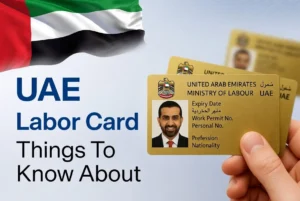
Searching for the easiest way to sign, scan, and manage documents without paperwork? An E-Signature Card in the UAE offers a secure and convenient digital solution. Issued by MOHRE, it allows business owners and authorized signatories to approve official documents online with legal validity. With biometric security and encryption, it makes government and business transactions faster, safer, and completely paperless.
What is an E-signature card?
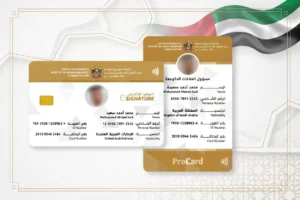
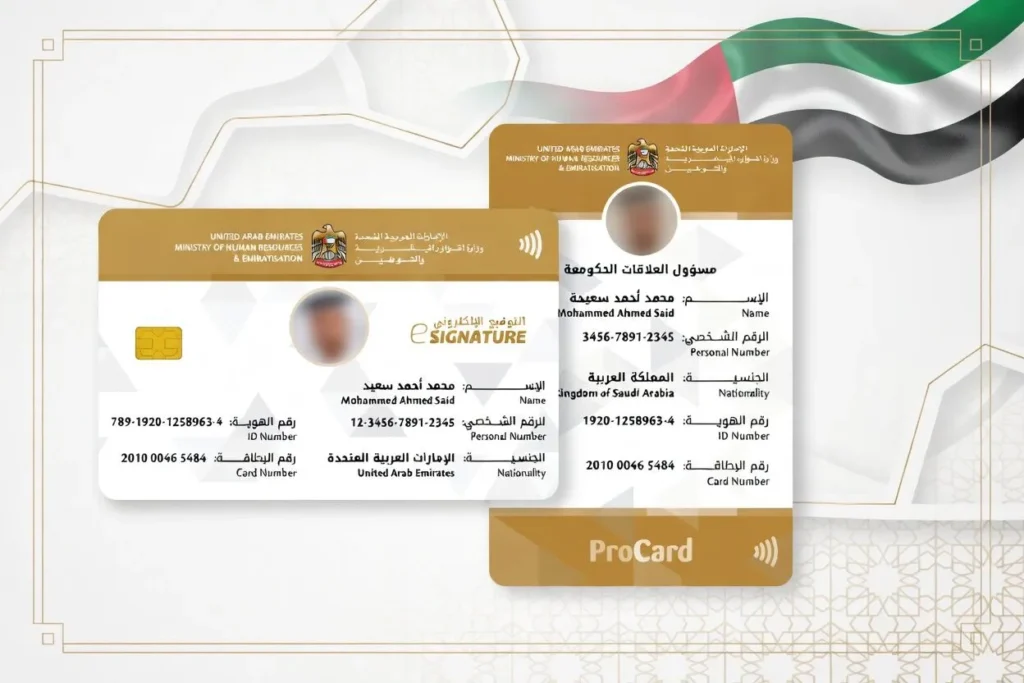
An E-signature card is a secure smart card issued by the Ministry of Human Resources and Emiratization in the UAE. It works as your official digital ID for your company. The card has a small embedded chip that stores your fingerprint information and personal information. This chip acts like a safe passkey to confirm your identity when you sign things online.
With this card, you no longer need to use a pen for handwritten signatures on official government documents. Any document you sign using this card becomes legally valid and accepted by all government agencies. It follows UAE labor law and makes it easy to handle employment contracts, visa applications, and other corporate transactions from your home or office. This removes the need to visit Tasheel or Amer centers just to sign papers, saving you time and effort.
Watch this YouTube video for a clear and easy explanation of E-signature card.
Who is eligible to apply for an E-signature card in the UAE?
In the UAE, many people and roles can apply for this Card to handle official transactions and sign documents online. The main groups who can apply include:
- Business Owners and Company Owners / Investors who own a private establishment or company in the UAE
- UAE citizens and expatriates living and working in the country.
- Authorized Signatories such as managers or directors named on the Trade License
- Individuals who hold a valid Power of Attorney (POA).
- Public Relations Officers (PROs) who manage government transactions for businesses
- Delegates officially authorized by the company
Individuals and residents can also apply if they need to sign property documents or other legal papers digitally. Personnel in these roles must follow the rules set by the authorities to get the card and start using it for safe electronic signing.
If you are employed in the UAE you can easily calculate your end-of-service benefits with our free Gratuity Calculator.
Benefits of E-Signature Cards?
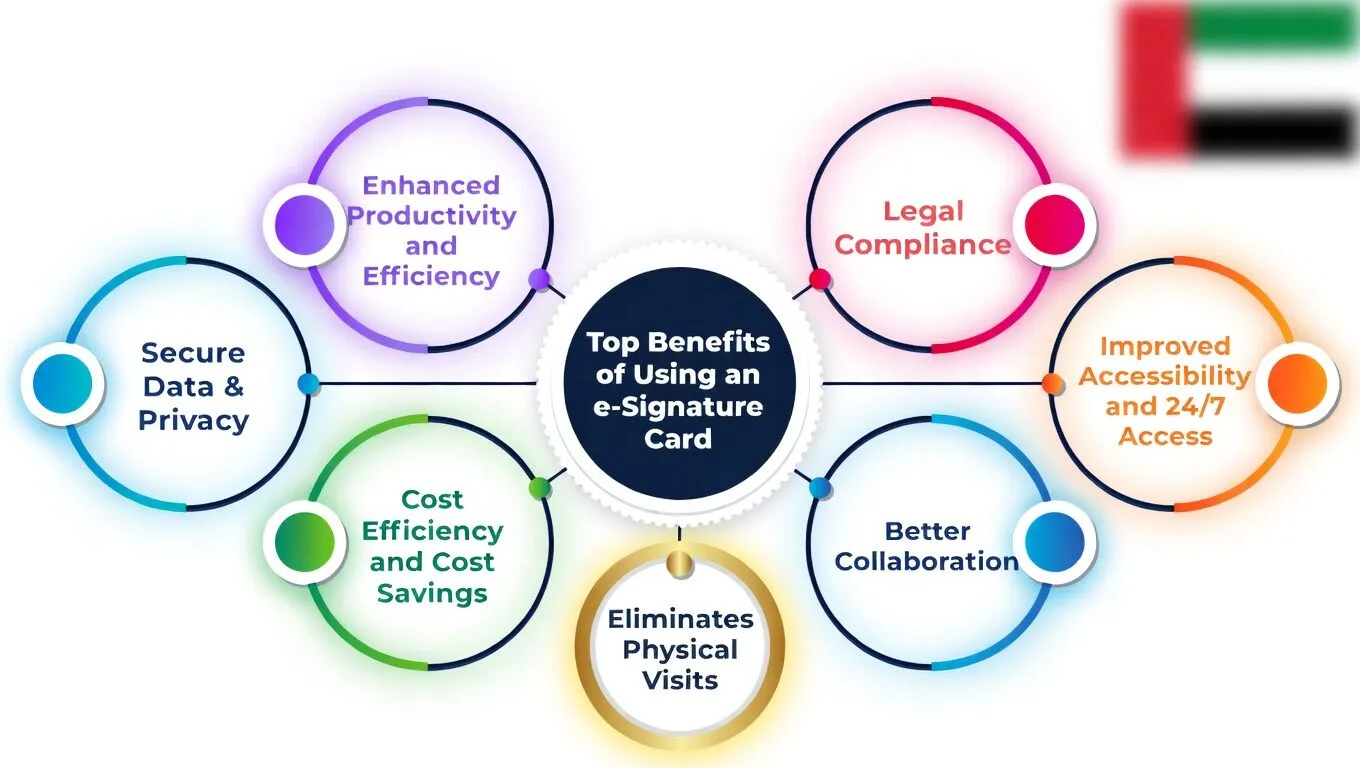
This card brings real advantages for individuals and businesses in the UAE. They make signing documents quick, safe, and simple without any paperwork. This helps save time and money while keeping everything secure.
- Eliminates Physical Visits: No need to go to service centres for fingerprint scanning; sign documents electronically from anywhere.
- Cost Efficiency and Cost Savings: Cuts costs on printing, paper, toner, courier services, and other processes.
- Enhanced Productivity and Efficiency: Speeds up workflows, saves staff resources and effort, and finishes document signing in minutes instead of days.
- Secure Data & Privacy: Uses chip, encryption technology, smart card technology, certificates, and fingerprints for strong security and tamper-proof protection against forgery.
- Improved Accessibility and 24/7 Access: Sign contracts, government documents, MOHREtasks, and approvals anytime with full flexibility and convenience, no presence required.
- Legal Compliance: E-Signatures have the same validity as handwritten signatures under UAEgovernment rules and standards.
- Better Collaboration: Improves decision-making, shortens approval cycles, helps companies, clients, and stakeholders work together, and supports faster deal closures and implementation.
Document required for an E-Signature Card
Here is a clear list of the documents needed in 2026:
- Emirates ID: A valid identity card in good standing (original for verification).
- Passport copy: A clear duplicate of your current passport.
- Photograph: A colored photo (passport-sized) with a white background.
- Contact information: Your active phone number and email address.
- Trade license copy: A valid copy of the business or company trade license to link the card to the right enterprise.
- Authorization proof: A letter of authorisation, Memorandum of Association (MoA), or Power of Attorney (PoA) if the applicant or signatory is not the owner.
- Residence visa certificate: Required for expatriates (non-UAE nationals) along with a valid UAE residence visa.
- Labour Establishment Card: Needed in some cases for expatriates linked to the company.
- File opening proof: For foreigners, you may need to open your file in the Ministry (MOHRE) records first.
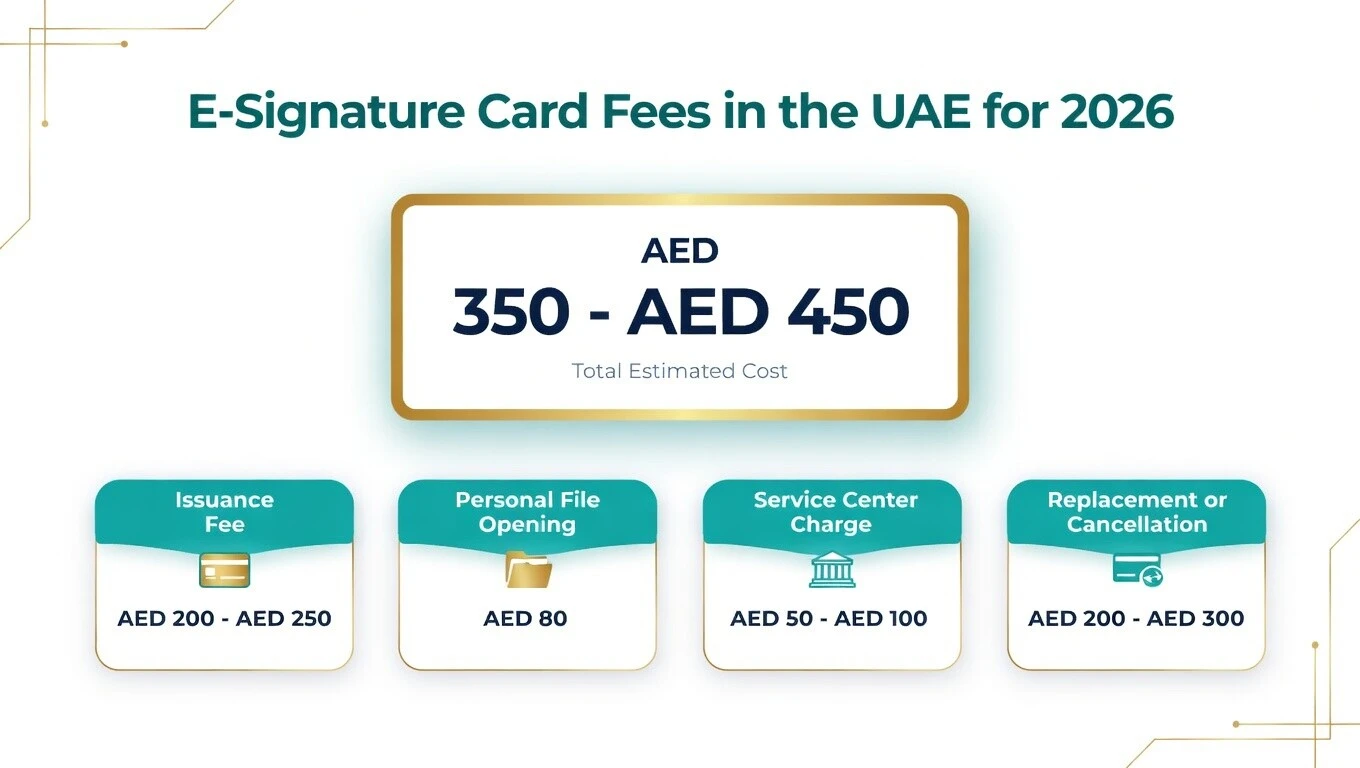
E-Signature Card Fees in the UAE for 2026
The price of this Card in the UAE in 2026 usually falls between AED 350 and AED 450 in total. This amount covers the main steps needed for MOHRE or Tasheel services, such as getting the card for work-related digital signing. The price can change a little based on the service center you visit and any extra options you choose.
Here is a simple cost breakdown for 2026:
- Issuance Fee: Around AED 200 to AED 250 – this is the main charge from the authority for creating a new e-signature card.
- Service Center Charge: About AED 50 to AED 100 – this covers help at the center, like processing and support.
- Personal File Opening: Roughly AED 80 – an optional step if you need to set up a new file for your records.
- Replacement or Cancellation: Typically AED 200 to AED 300 – this applies if you lose the card or need to cancel it for any reason.
These fees make the total cost fit in the AED 350–450 range for most people applying through Tasheel centers in the UAE. Always check the latest rates at your local center, as small changes can happen.
How Do you Apply for an E-Signature Card in Dubai and UAE?
Applying for this Card in Dubai or anywhere in the UAE is simple if you follow the right steps. Here are the main steps to apply:
- Prepare documents: Gather your original Emirates ID, passport copy, photo (white background), valid trade license copy, and authorization proof like Power of Attorney (POA) or Memorandum of Association (MoA) if you are not the owner.
- Visit a service center: Go to a Tasheel, Tawjeeh, or authorized typing center in Dubai or other parts of the UAE to submit your application.
- Biometric capture: Give your fingerprints for identity verification this is a key step to link the card to you.
- Pay fees: Pay the required fees at the center the exact amount depends on the application type.
- Issuance: MOHRE processes your request, and the Card is either printed on-site or sent to you by courier within about 48 hours.
After you get the card, you can use it to sign labor documents online without visiting centers again. Always double-check the latest fees and rules on the official MOHRE website or at the Tasheel center before you go.
How Can I Activate My E-Signature Card?
In most cases, your Card is activated automatically in the UAE right after you receive it. When a service center representative at Tasheel or Amer Center hands you the card, they link your fingerprints and biometric information to it during issuance. This means system activation happens on the spot, and the card is ready for use with MOHRE right away. You do not need to enter any passwords, install extra software, or do anything special; just use it for online transactions or to sign a document at a self-service kiosk.
Sometimes a small setup step is needed if you plan to use it on your computer. Here are the simple steps to make sure your card works fully:
- Automatic activation: Usually done by the service center representative when they connect your biometric data, with no extra action from you.
- Insert card: Plug the card into a card reader connected to your computer.
- App activation: Open the required software (like Palma App or UAE PASS App) and choose the option to verify the signature or start activation.
- PIN setup: Enter the activation code sent to your registered mobile number, then set your own PIN when prompted.
- Use digital version: For easier signing, open the UAE PASS App on your phone to verify and handle documents as a digital version of the card.
How Can I Update My E-Signature Card?
Your Card has an expiration date, just like any official document in the UAE. You must renew it on time to keep it valid. The renewal process is simple and similar to the first application. Visit the nearest Tasheel or Amer Service Center, tell the representative you want to renew your Card, and bring a copy of your passport, a valid Emirates ID, and pay the renewal fee. After a quick check, you will get your updated card.
How to update the lost or damaged card?
If your Card is lost or damaged, report it right away and apply for a replacement. Go to a service center or use the ICP Smart Services website or the ICP App to start the replacement request. You may need to provide documentation, such as a police report, for lost cases. For damaged cards, bring the old card when collecting the new one. Contact customer service if needed, and follow the timeline rules to avoid issues.
Process to Renew or Replace Old Cards with a Digital E-Signature Card
ou have an old manual card or Internet card, you can upgrade it easily. Visit any Service Center and ask for the upgrade to a new Digital E-Signature Card. The service provider will complete the verification and required procedures. After that, you will receive the new card and enjoy all the benefits of modern digital services in the UAE.
E-signature card number and where to find it
Your Card Number is a unique ID or code linked to your signatory status in the UAE. This number stays the same for life and connects your signature to any company or labor file. You need this number every time you link your card to a new company, renew your labor file, or handle MOHRE (Ministry of Human Resources and Emiratisation) transactions. It is usually a 10-15 digit code and very easy to locate once you know where to look.
Here are the main places to find your Card Number:
- Physical smart card: The number is printed clearly on the front or back (face or back) of the card itself. Just turn it over and check.
- MOHRE app: Open the official MOHRE app, log in, and go to Card Details or your profile information to see the number.
- MOHRE website: Visit the official MOHRE portal or use the inquiry service online, log in, and check your card details.
- Tasheel service centre: Go to any Tasheel centre or service center and ask the staff if they can look up your registered details and give you the number.
- UAE PASS app: Sometimes the number shows up in the Documents Section after you link your Card. Open the UAE PASS App and check there.
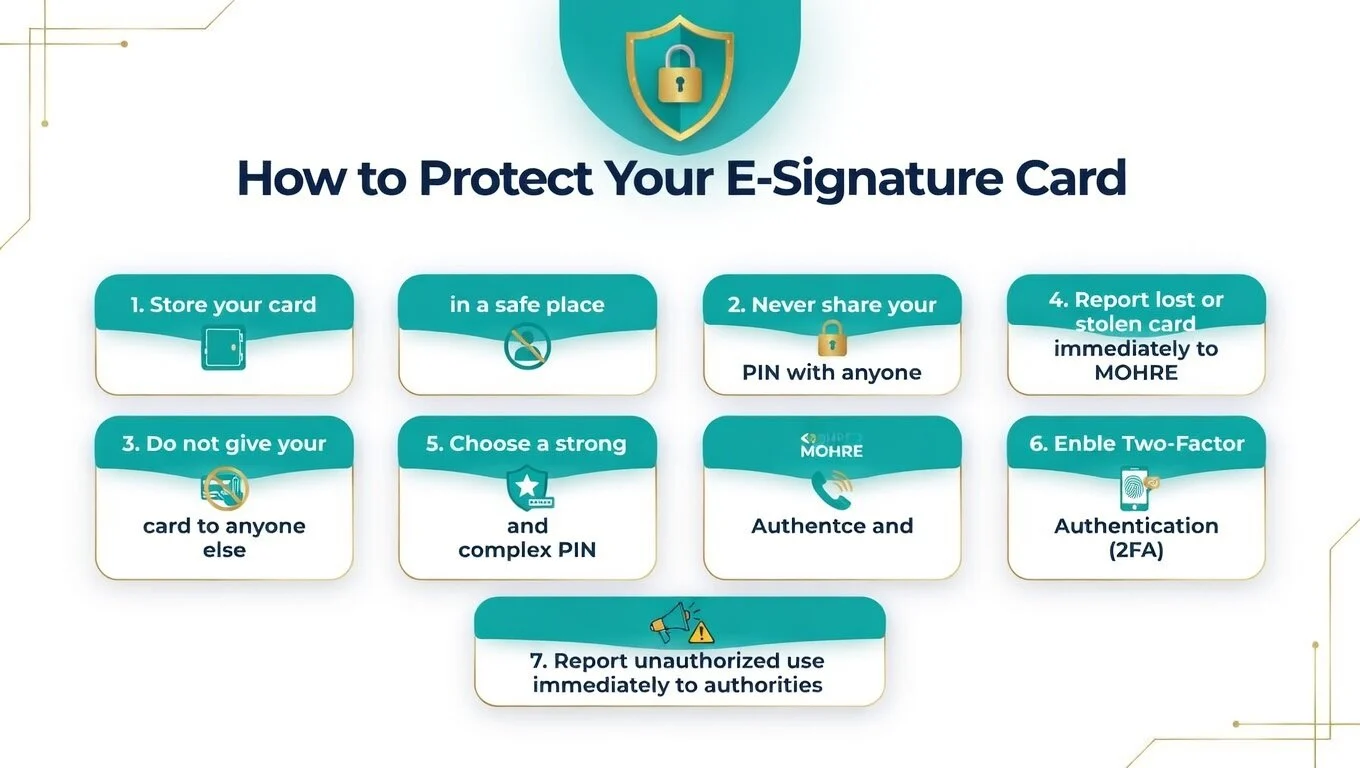
How to protect your E-signature card
Protecting your card in the UAE is very important because it works like a digital passport for signing official documents. Treat your card the same way you treat your Emirates ID or passport. Keep it safe and never let anyone misuse it. Simple steps can stop theft, loss, or unauthorized use.
Here are the main protection measures to follow:
- Always store your card or smart card in a safe place.
- Never share your PIN with anyone.
- Do not give your card to anyone else to use.
- If your card is lost or stolen, report it right away to the issuing authority, such as MOHRE to block the certificate and stop any misuse.
- Pick a complex PIN that is not easy to guess.
- Turn on Two Factor Authentication wherever possible and use strong encryption for any related accounts or devices.
- If you think someone used your e-signature without authorization, tell your organization and the relevant authorities immediately to take action.
Legal Aspects of Acquiring an E-Signature Card in the UAE
Yes, your card in the UAE is fully legally valid.
- The digital signature from your card has the same legal weight and authority as a handwritten signature with ink on paper.
- It is officially regulated under Federal Decree-Law No. 46 of 2021 concerning Electronic Transactions and Trust Services.
- This law makes every document signed with the electronic card legally binding and accepted by all UAE government agencies and courts.
- UAE labor law also recognises it for MOHRE and Tasheel-related matters.
- To sign legally, you need a valid digital certificate and an authorised signature device for proper authentication.
E-Signature Card vs UAE Pass vs Digital Signature
The E-Signature Card, UAE Pass, and Digital Signature are different tools for signing documents in the UAE. The E-Signature Card is a physical smart card made for business owners, managers, PROs, and professionals who handle important business documents and labor documents for MOHRE and other government agencies.
The UAE Pass is a mobile application that serves as a digital identity for citizens, residents, and visitors in the UAE. It gives access to over 15,000+ services from the government and private sectors, like DIA, RTA, and DHA.
A Digital Signature is the actual technology that uses encryption to protect the integrity and authenticity of electronic documents, digital files, or messages.
Common problems when applying for an E-Signature Card
Here are some common problems people face when applying for this card in the UAE:
- Expired or invalid Emirates ID: This card links directly to your Emirates ID. If your Emirates ID is expired, invalid, or under renewal, the application gets rejected right away.
- Signatory not authorized: Many face issues when the person applying is not listed as an authorized signatory on the company’s Trade License. Only the manager or the listed authorized person can apply successfully.
- Incomplete documentation: Missing or wrong documents cause big delays. You need a colored photo with a white background, a valid passport copy, and, if not the owner, a notarized Power of Attorney (POA).
- Foreigner file setup problems: Expatriates must have their file properly set up at the Ministry of Human Resources and Emiratisation (MOHRE) first. Without this active file, the application fails.
- Incorrect PIN handling: After three wrong PIN entries, the card gets blocked. Always keep your PIN safe and remember it correctly.
- Fingerprint mismatch: If your biometrics were not captured clearly during the visit to Tasheel, it leads to verification failure later.
FAQs
1. How to Check Your E-Signature Card Status
Log in to the Tasheel portal or ICP website using your Emirates ID, go to the e-signature section, and check the application status there.
2. What is the Purpose of an E-Signature Card?
This card is used to sign official documents digitally in the UAE, like contracts, government forms, and company transactions, with legal validity and high security.
3. How to download an e-signature card in UAE?
After approval, visit a Tasheel center with your Emirates ID, collect the physical card, and download the related software or certificate from the official portal.
4. Is the E-Signature Card Secure?
Yes, it is very secure it uses biometrics, PIN, and encryption linked to your Emirates ID to prevent fraud and unauthorized use.
5. How Does the E-Signature Card Work?
You insert the Card into a card reader, enter your PIN, and use it with approved software to digitally sign documents securely.
6. How do I ask for an e-signature?
Apply online through the ICP or Tasheel portal, submit required documents like Emirates ID and Trade License, then visit Tasheel for biometrics and card issuance.
7. Is an e-signature just typing your name?
No, a real e-signature in the UAE uses a secure E-Signature Card with PIN and biometrics; typing your name alone has no legal value.
Conslusion
The E-Signature Card is a reliable tool for secure and legally valid digital document signing in the UAE. It simplifies government and business processes while reducing paperwork and delays. Enabling fast online approvals, it improves efficiency for companies and professionals. Overall, it supports the UAE’s move toward a smarter and more digital business environment.